Generating Reports from a Custom Operation Plan
You can generate reports from a Custom Operation Plan. These reports are used to get a specific view of the Custom Operation Plan components and data.
Information like the ID, Creation date, Name , Description, list of Counters, data of each Counter, actions inside the Counters, Triggers and Variables can be presented in these reports.
For example, a report can be generated to provide an overview of all the Templates included in the Counter(s) of a Custom Operation Plan Definition along with their corresponding Effectivity data.
A FreeMarker Template file (.ftl file) or a .zip file that can extract the required information is required to generate a report. This file appears as filename.ftl or filename.zip.
To generate a report from a Custom Operation Plan Definition:
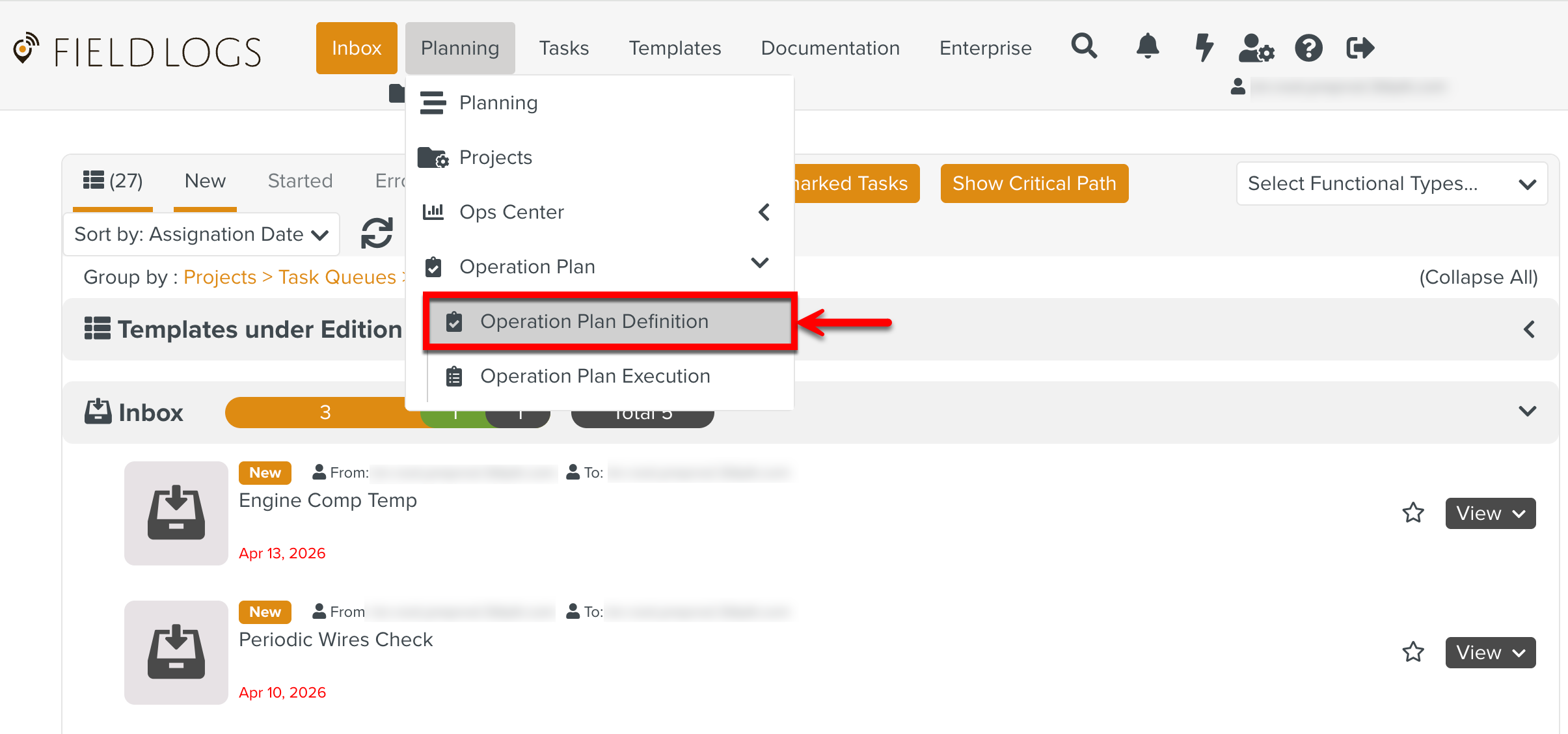
From the main menu, go to > > .
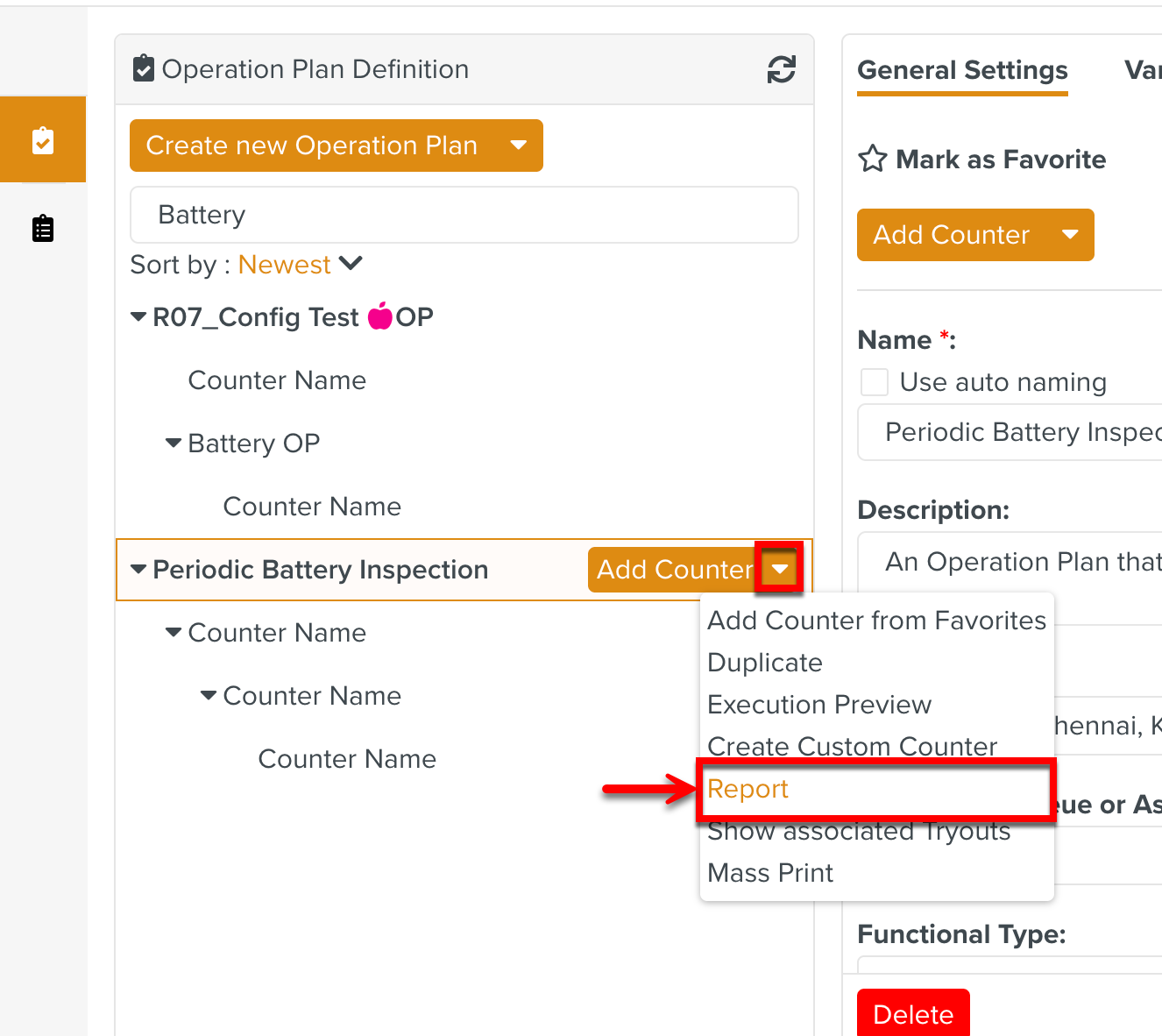
Expand the dropdown of an Operation Plan and click .
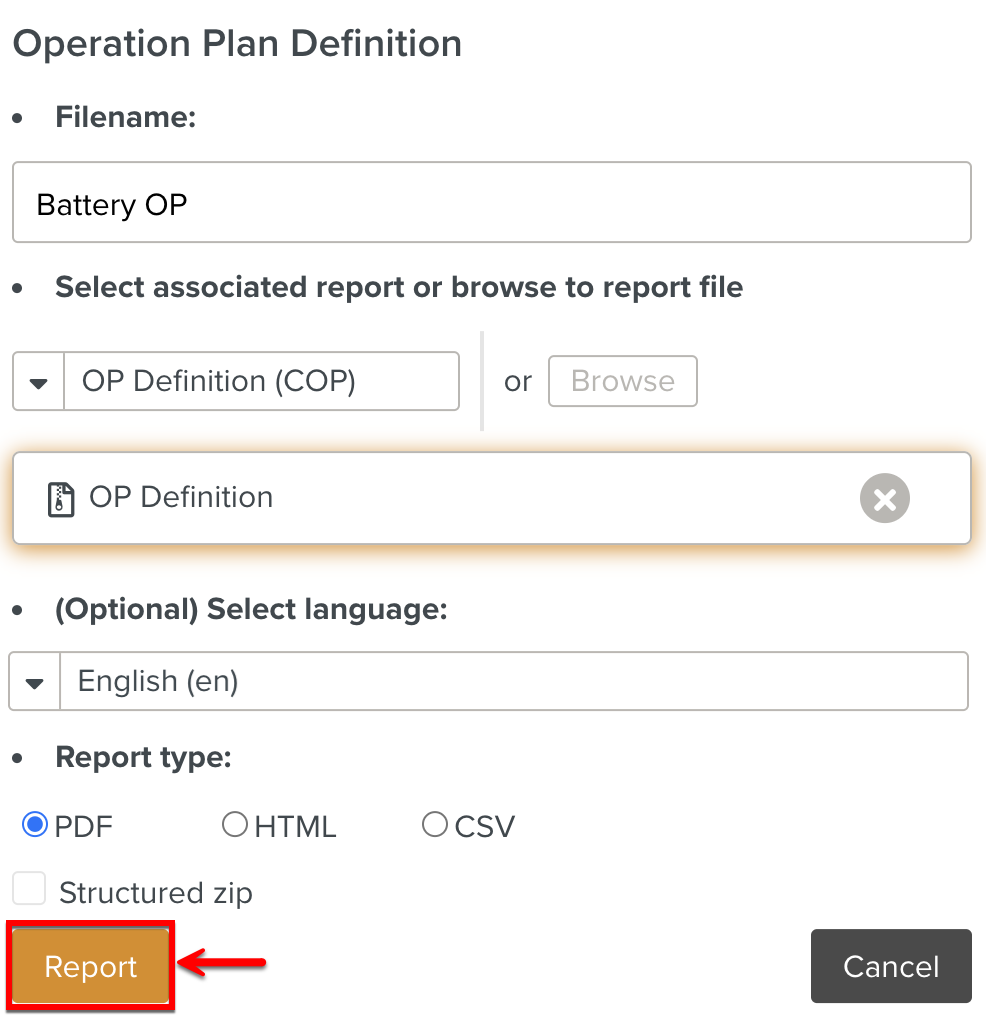
A dialog appears as below.
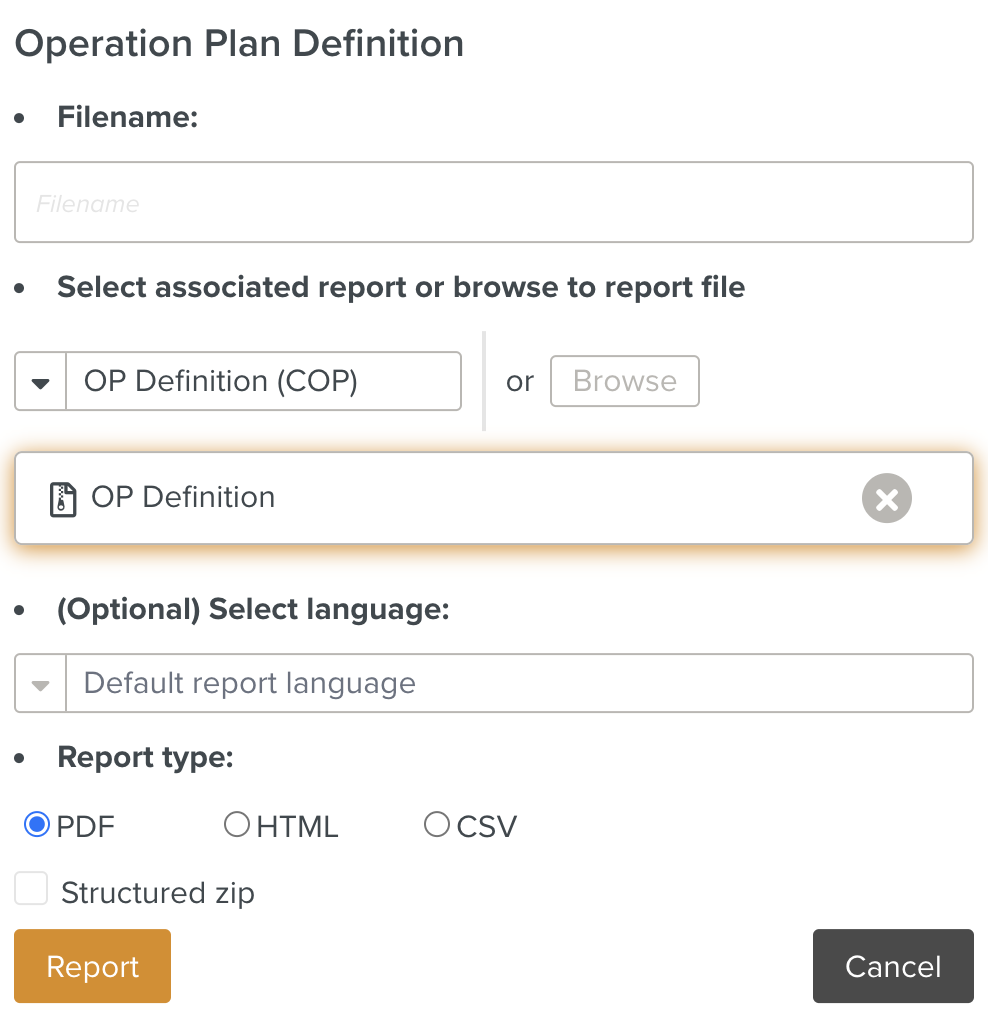
Enter the details as indicated below.
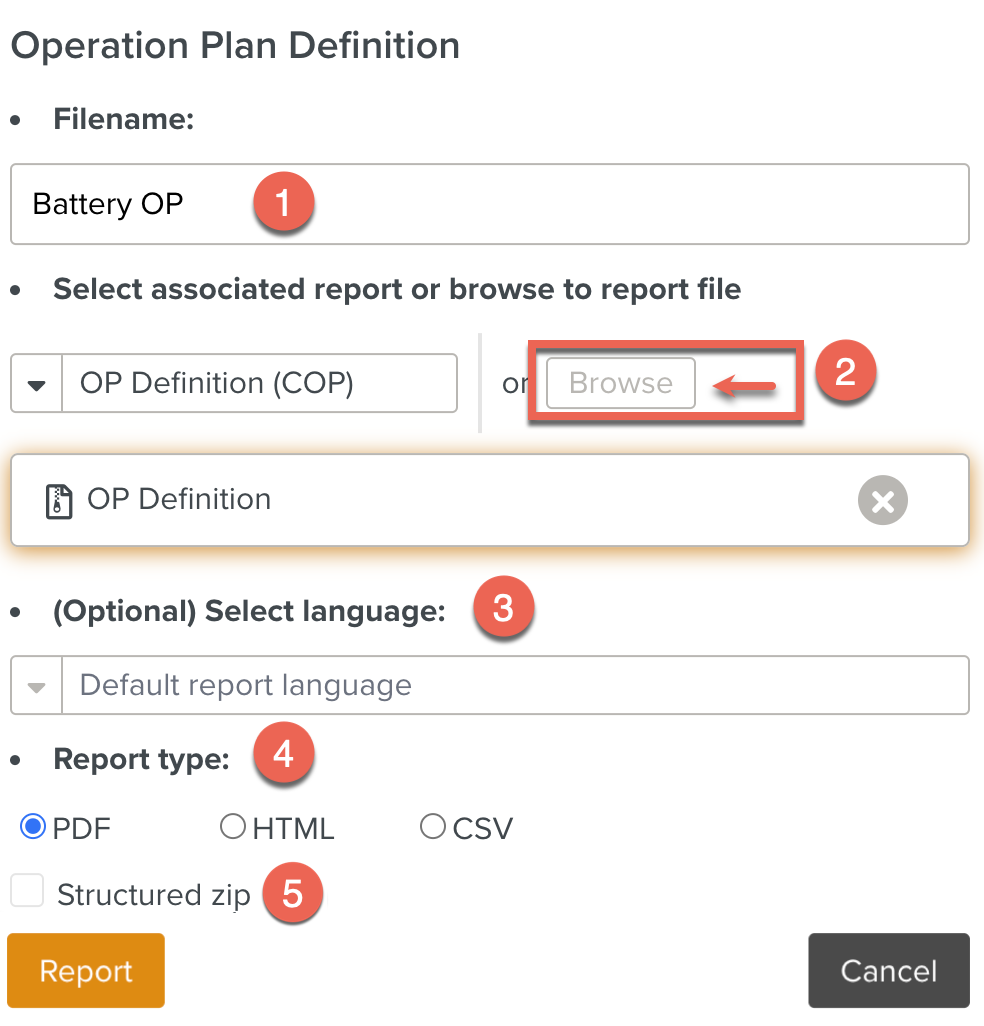
: Enter the desired name of the Report.This is optional. By default, it takes the name of the associated Report Package.
The Report Models are available based on the Data scope defined for the Report Package.
You can also click to select the
.ftlfile or.zipfile from your local device. This extracts the information presented in the Report.: Select an associated Report Model from the dropdown.
: Select the desired language of your Report. This is optional.
: You can choose the report to be in PDF format or HTML format.
: Check to generate a zip of reports organized by Suite and Package.
Click to download the report in the specified format.
Some Sample Reports
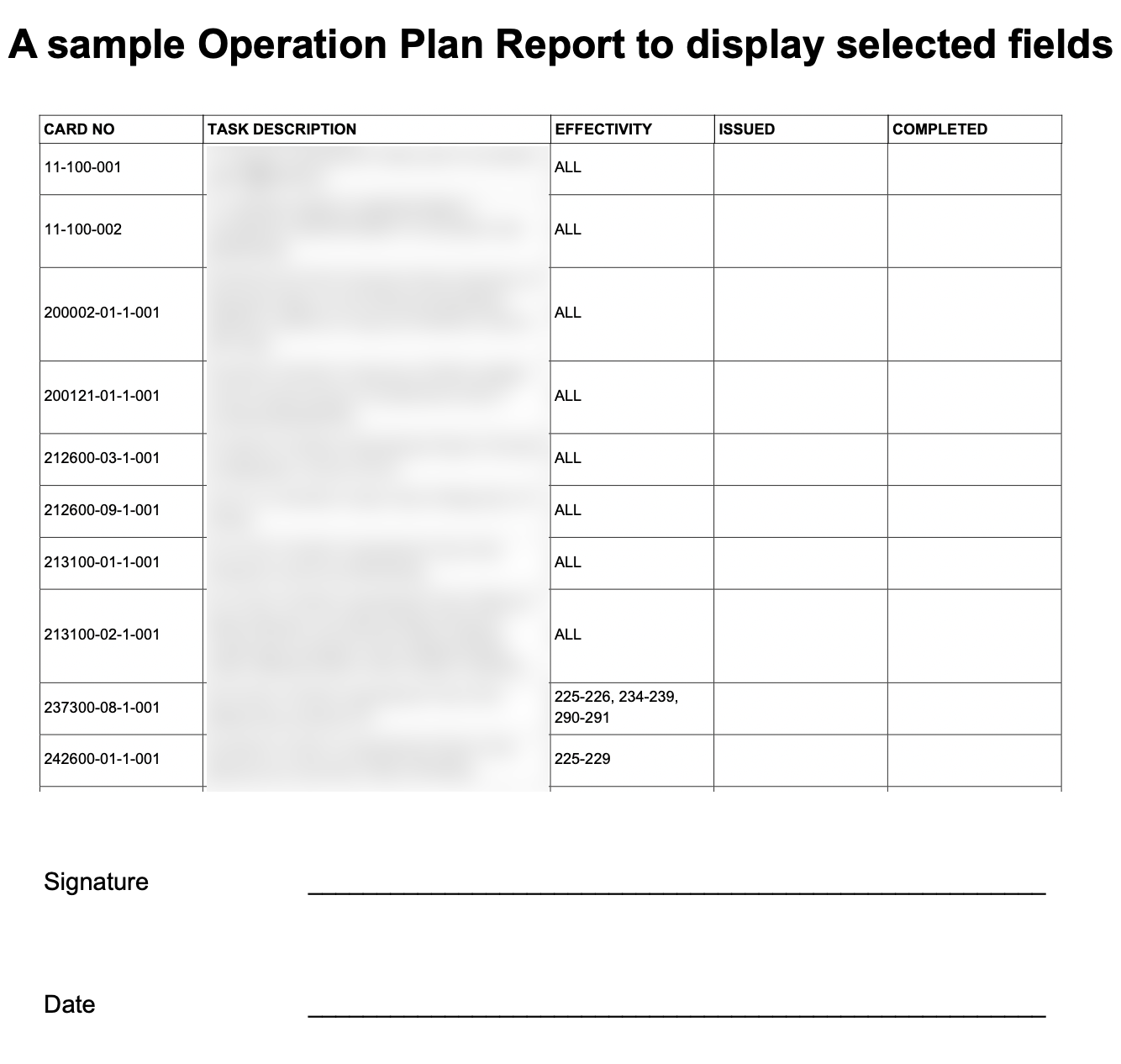
The Report below displays selected properties of all Templates in that Custom Operation Plan.
 |
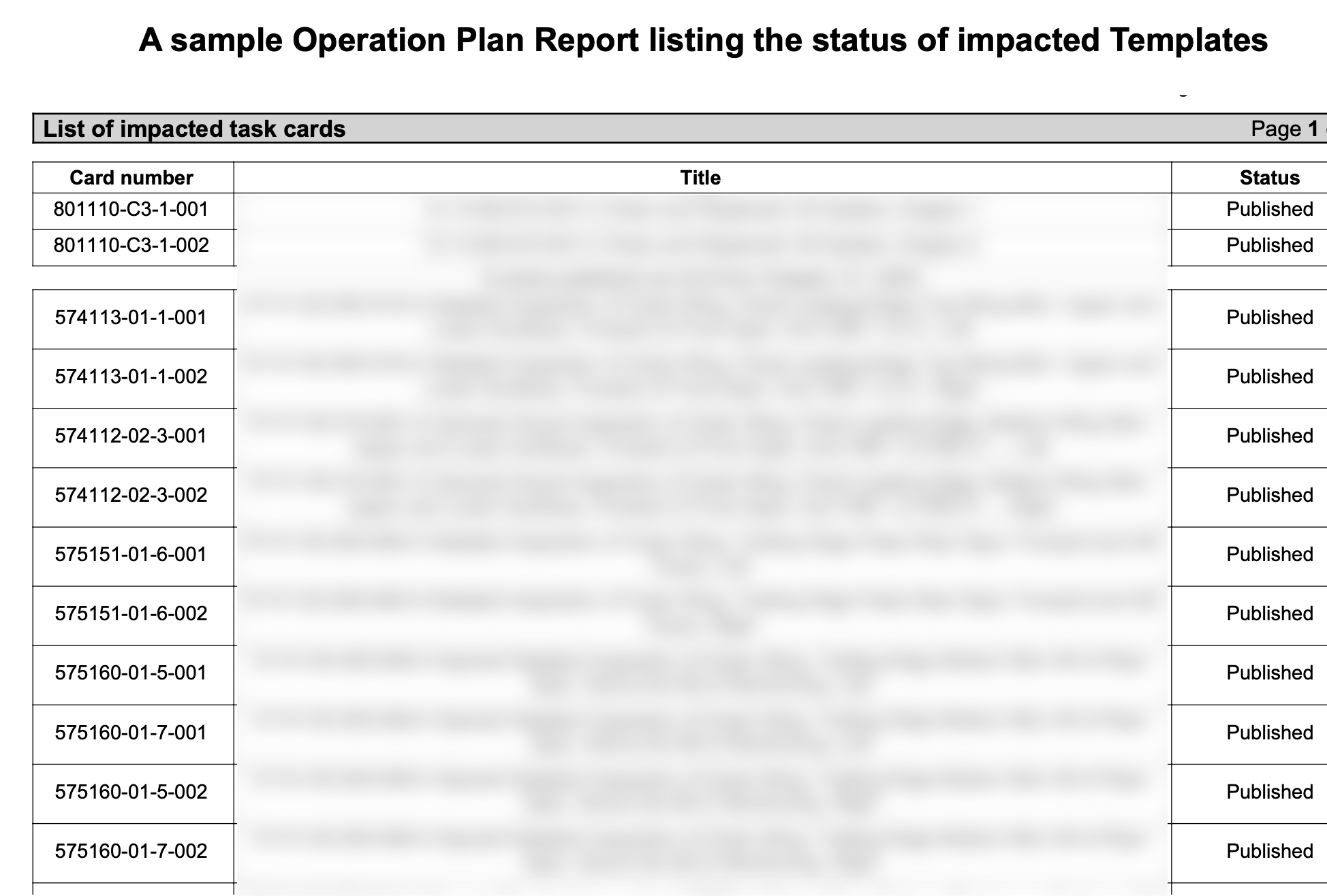
The Report below displays a list of impacted Templates.
 |
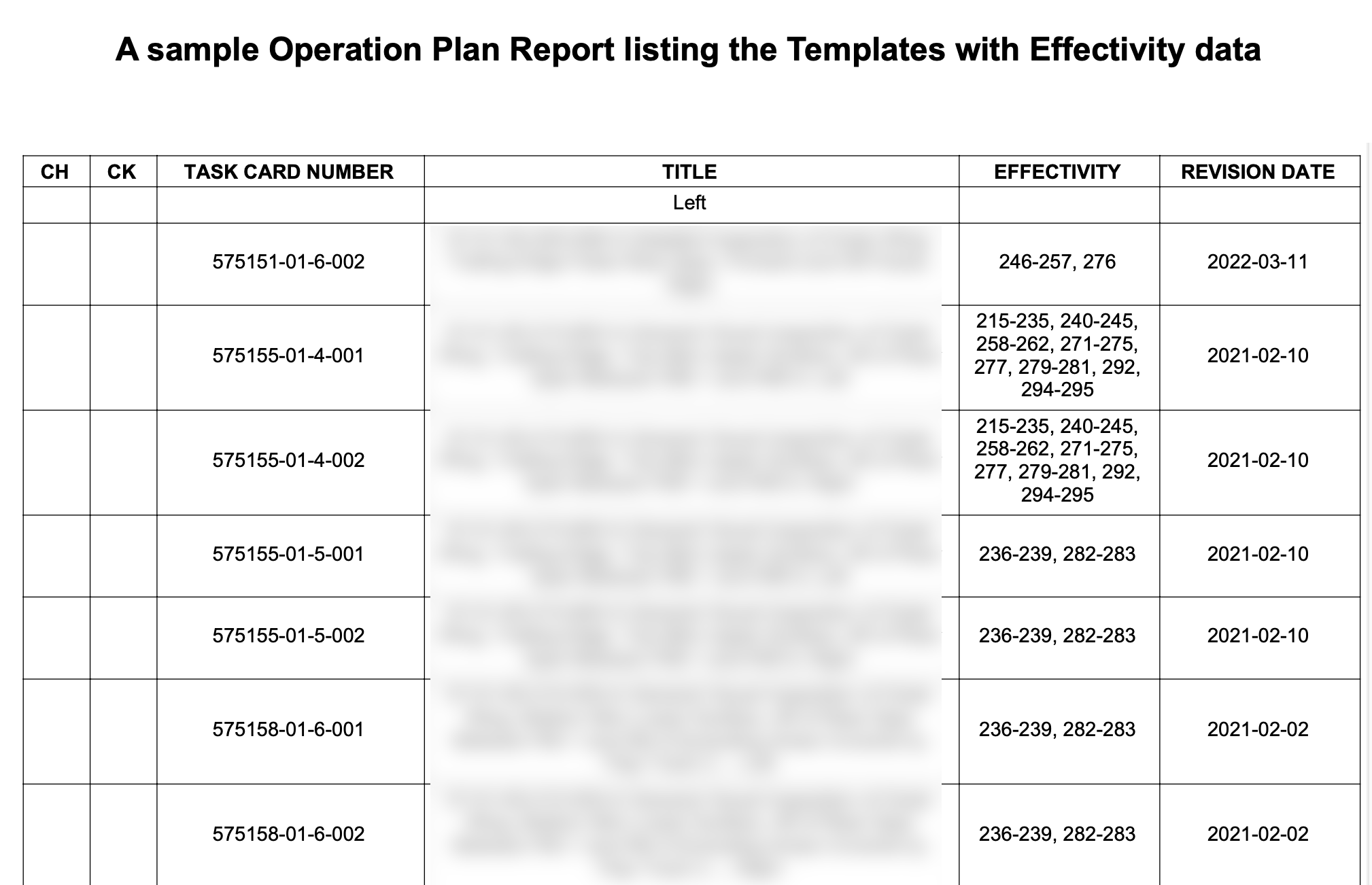
The Report below displays a list of Templates with their Effectivity data and the date of revision.
 |